
Direct messages between members
Direct messages let the members of your community write to each other privately. They are on by default in every community, and you choose who may message whom, or turn them off.
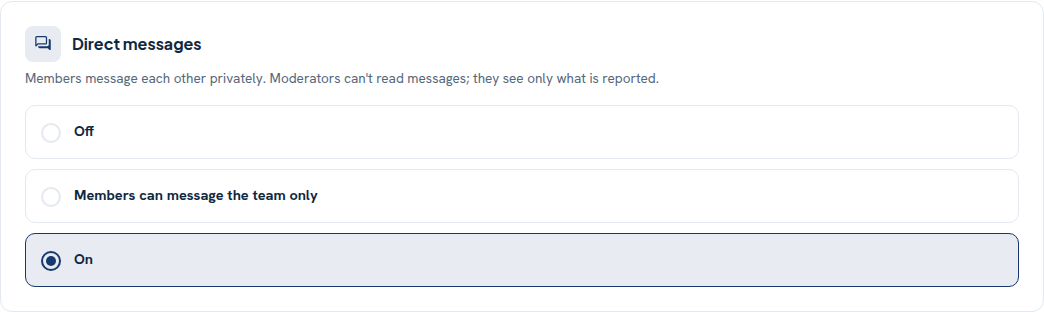
Turn direct messages off, or limit them
- Open Community in the admin menu, then Settings in the community sidebar.
- In Direct messages, choose one of:
- Off: nobody can send direct messages.
- Members can message the team only: you and your team can start a conversation with a member, and the member can reply; members can't message each other.
- On: members can message each other (the default).
- Click Save.
If you already saved a choice before, it stays as you saved it. When your community itself is switched off, nobody can send direct messages.
How members send a message
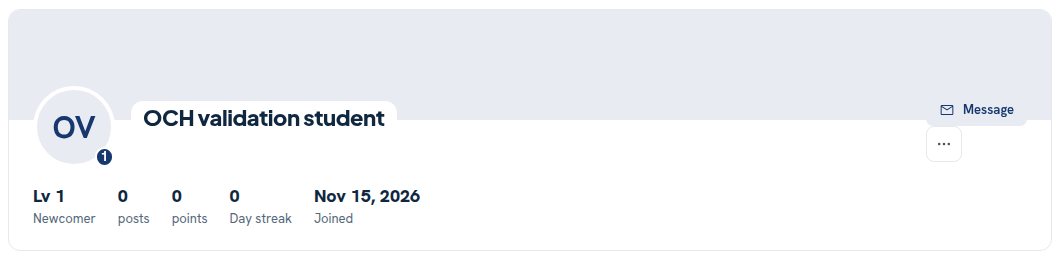
- A member opens someone's profile in the community and clicks Message. The button is shown when direct messages are on, on other people's profiles only. With Members can message the team only, only your team sees it.
- All conversations are under Messages in the community menu. A badge shows how many conversations have unread messages.
- On a phone, the inbox and each conversation open full screen, with a Back button. Enter sends; Shift + Enter starts a new line.
Message requests: no spam
Until the other person replies, someone who starts a conversation can send 3 messages. After that they see Wait for … to reply before sending more. The person who receives the messages sees … wants to message you. Reply to accept, or block them. As soon as they reply, both can write freely.
Notifications
- In the community, members get a notification: … sent you a message (one per conversation), which opens it.
- When your community sends its email digest, it also says who has sent the member messages they haven't read for over an hour (names only, never the text).
Privacy, blocking and reporting
- Moderators and admins can't read members' conversations. They only see a message that someone has reported.
- Block: in a conversation, a member can click Block. The other person can no longer send them messages. Unblock undoes it.
- Report: a member can click Report under someone else's message. It goes to your community's moderators.
- Visitors who aren't signed in, and people who aren't members of your community, can't send direct messages.
More about your community settings: General Community Settings.