
How to create courses on OnlineCourseHost.com
Everything you sell (course, download, coaching session, exam or live session) is a product. To create one:
- Sign in and open Products in the admin menu.
- Click Create product (top right).
- Under What are you selling?, choose Course, SCORM Course, Coaching Session, Digital Download, Exam or Live Session, then click Continue.
- Follow the steps at the top: Type, Name, Description, Start.
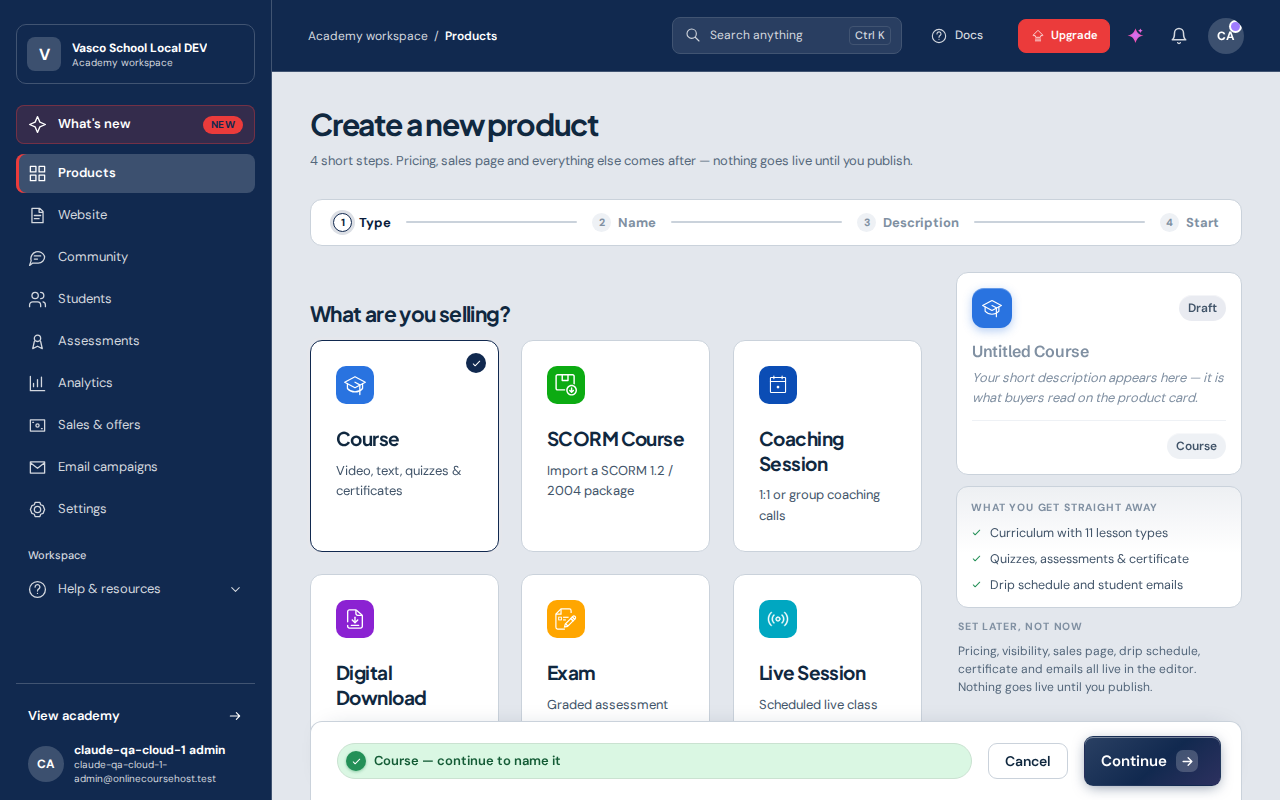
The new product is saved as a Draft: nobody sees it until you publish it.