
How to open a waitlist and send the launch email
Not ready to sell yet? Turn on a waitlist. The sales page collects emails instead of showing the price and the buy button, and you email everyone with one click when you open.
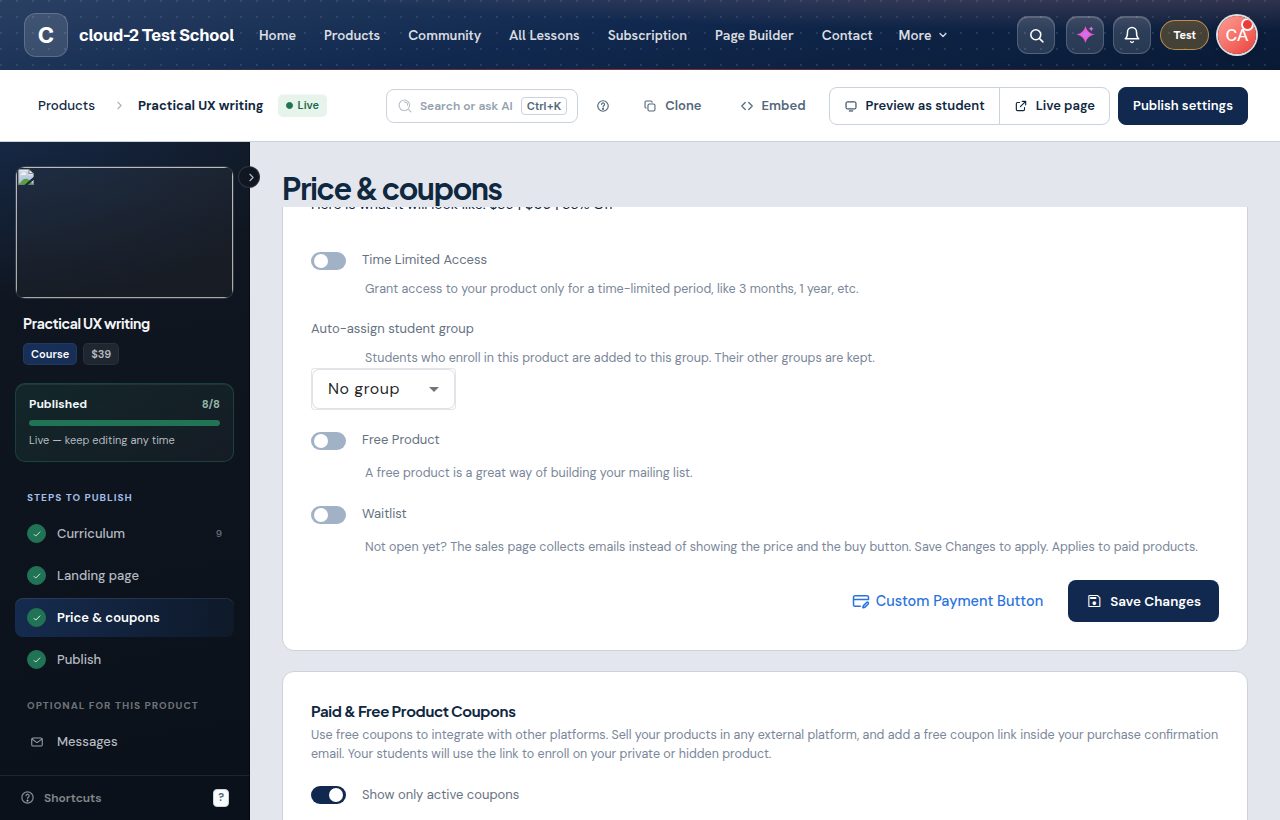
Turn it on
- Open Products and edit the product.
- Click Price & coupons.
- Turn on Waitlist and click Save Changes.
Visitors see Not open yet and a Join the waitlist button. Each email address is added once. The waitlist is for paid products, and people who already have access see the product as usual.
See who is waiting
Under the switch you see Waitlist: N people. Click Download CSV to export the list, or Remove to take someone off it.
Launch
- Publish the product first: the launch email links to it.
- Click Launch and email N people and confirm.
The waitlist turns off, the price comes back, and everyone on the list gets the Waitlist Launch email once (subject: "Product name is now open"). Edit it under Settings > Email templates. If that template is switched off, Launch asks you to turn it on. If some emails could not be sent, click Email them now.
People on the waitlist are not added to your email marketing tool.